
Integrations
Use Growwer where you already work
Let your AI agent work with Growwer through MCP, connect your products through the REST API, receive order events through webhooks and spot opportunities in the SERPs with the Chrome extension.
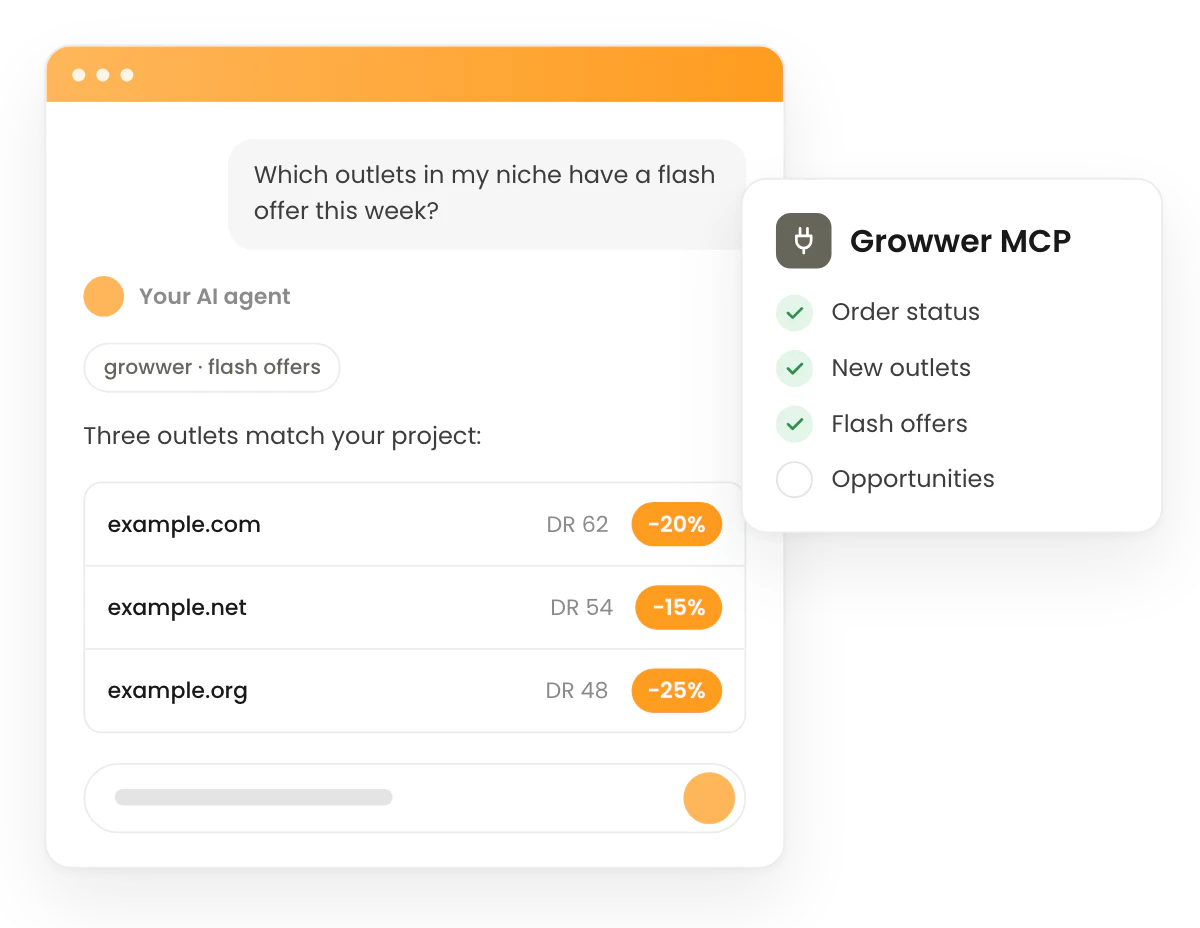
New MCP for AI agents
- Works with your AI agent
- Connect Claude, ChatGPT or any agent that speaks MCP to your Growwer account.
- Orders, outlets and offers on demand
- Ask for the status of your orders, the new outlets in your niche and today's flash offers.
- Opportunities and decisions
- Let the agent find link opportunities for your project, estimate what they cost and decide with you where to publish.
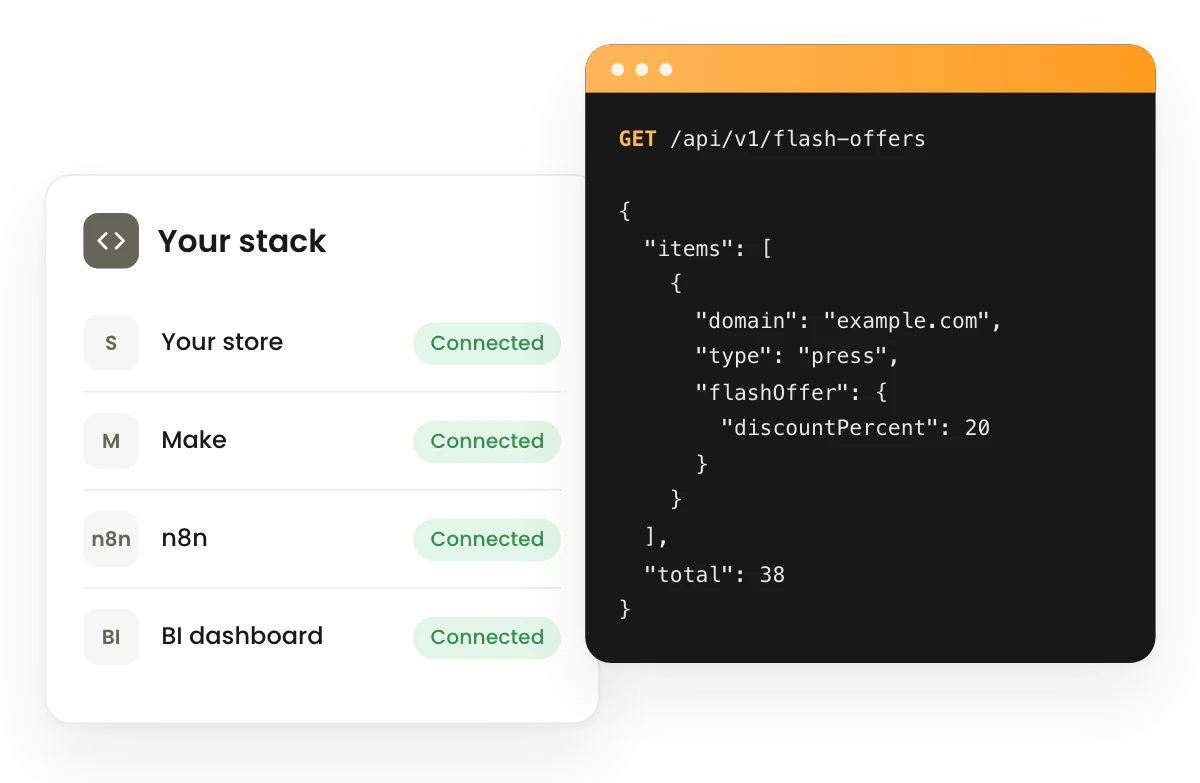
API
- Connect your products and projects
- Create projects from your own systems and search the catalogue with your price, DR, traffic, country and topic filters.
- Prices and the best offers
- Read outlet prices and time-limited flash offers, and estimate an order against your balance before you place it.
- Inside your workflows
- Place and follow orders, send managed-service campaign requests and plug Growwer into Make, n8n or your BI.
Authenticate with an API key you create on your profile. The OpenAPI contract is public.
Read the API docs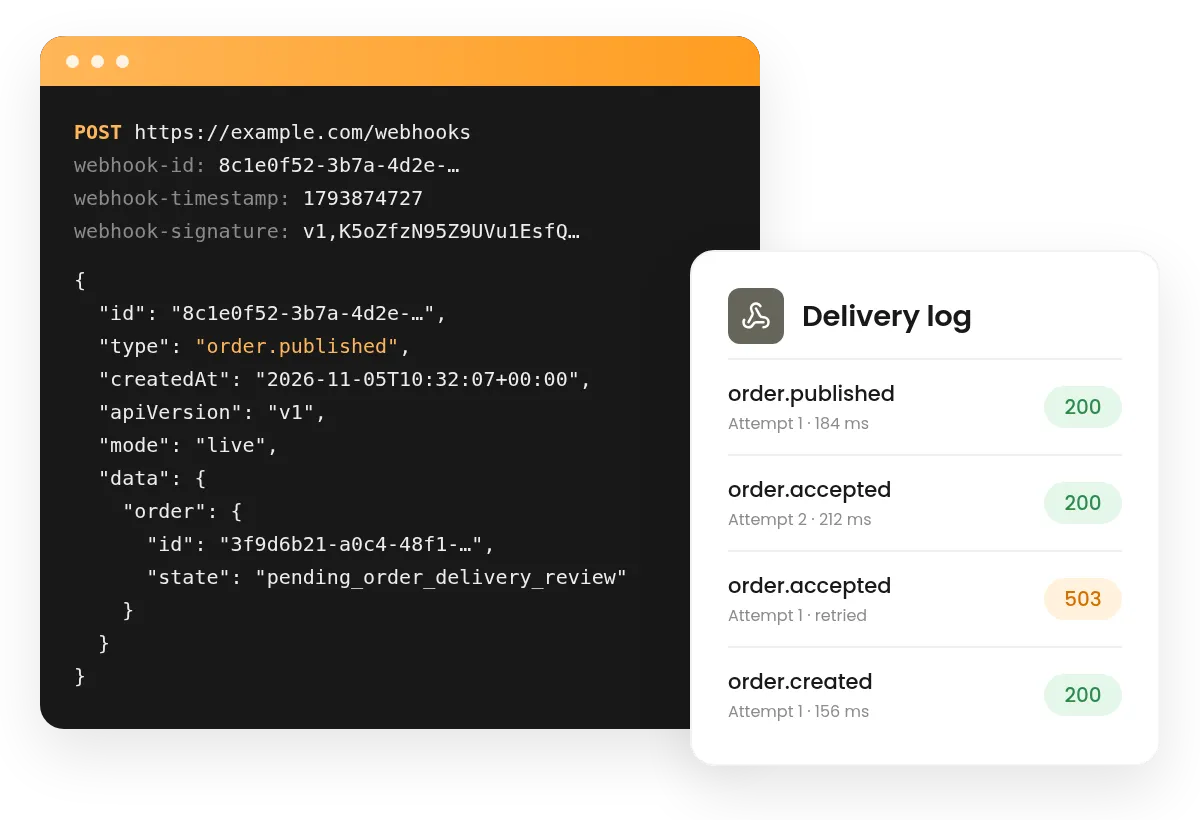
Webhooks
- Your orders as they move
- Get an event on your endpoint when one of your orders is created, accepted, delivered, completed or cancelled, and when your buyer balance runs low.
- Signed and retried
- Verify each event with its Standard Webhooks signature. If your endpoint fails, Growwer retries the delivery for up to 72 hours.
- From the app or the API
- Create subscriptions in the app's Integrations menu or over the API, send a test event and review the deliveries of the last 30 days.
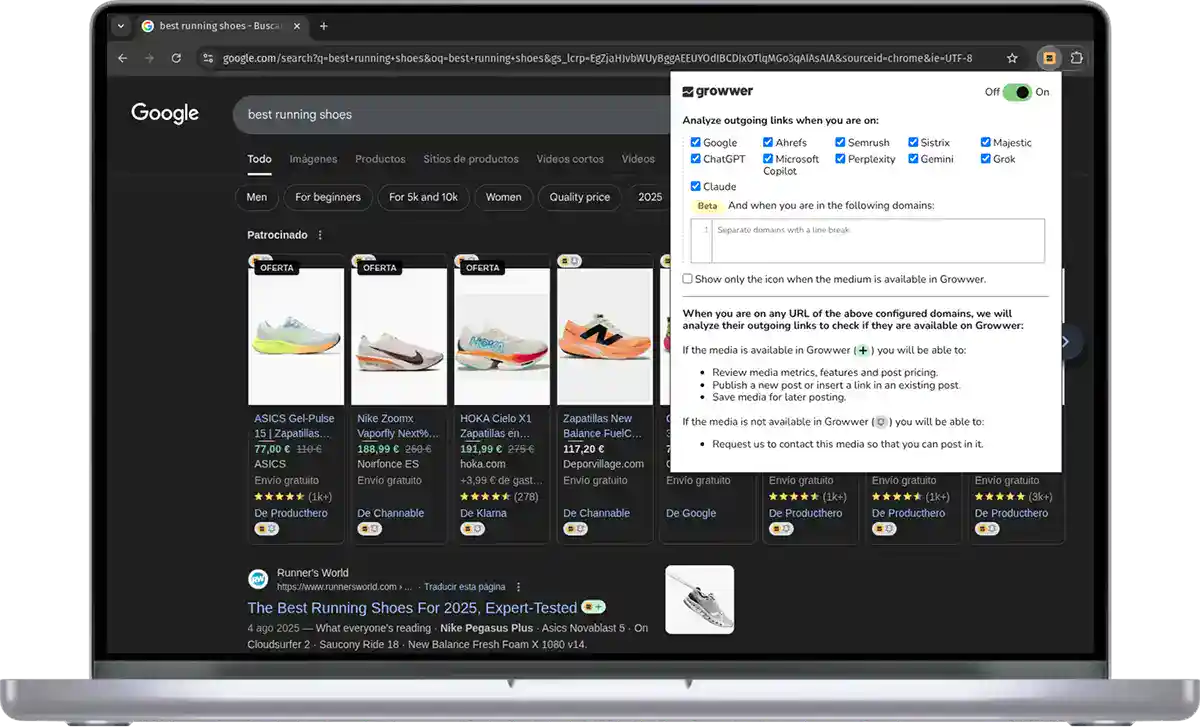
Chrome extension
- Opportunities right in the SERPs
- Search on Google or ask ChatGPT, Perplexity or Claude, and see which of the sites you meet are on Growwer, with their metrics and offers.
- Also on Ahrefs and Semrush
- Check outlets while you study your competitors' backlinks, without switching tabs.
- Publish or request in one click
- Order an article on an outlet instantly, save it to Favorites or request the ones we do not have yet.
Which one should you use?
All four work with the same Growwer account, so you can combine them.
MCP
For people who already work with an AI agent.
- Ask in plain language
- Orders, new outlets and flash offers
- Choose outlets and order without leaving the chat
REST API
For teams that want Growwer inside their own products.
- Your apps, Make, n8n or your BI
- Catalogue, prices, flash offers and orders
- Needs an API key and someone who codes
Webhooks
For systems that react when an order moves.
- Growwer calls your endpoint, no polling
- Order events and a low-balance alert
- Needs an HTTPS endpoint of your own
Chrome extension
For SEOs who research in the browser.
- No setup: install it and browse
- Google, AI answers, Ahrefs and Semrush
- Publish on or request an outlet in one click
Questions about integrations
- Four: the Growwer MCP to work with Growwer from your AI agent, the REST API to connect Growwer to your products and workflows, webhooks to hear about your orders on your own endpoint, and the Chrome extension to spot outlets while you browse.
- MCP (Model Context Protocol) is the standard AI agents use to connect to other tools. The Growwer MCP lets your agent check your orders, find new outlets and flash offers for your projects, and place orders with the price confirmed first.
- Someone has to call it, from code or from an automation tool such as Make or n8n. You create the API key on your profile, and the API documentation has examples for every endpoint.
- A signed POST to your HTTPS endpoint when one of your orders is created, accepted, rejected, delivered, sent back for an update, completed or cancelled, and when your buyer balance drops below the threshold you set. You create the subscriptions in the Integrations menu of the app or over the API, and the webhooks guide shows how to verify each event.
- On Google results, on the AI answers of ChatGPT, Perplexity, Grok, Copilot, Gemini and Claude, and inside Ahrefs and Semrush.
How can we help?
If you have questions, talk to one of our experts.