
Growwer MCP
Link building from your AI assistant
Connect your Growwer account to Claude, ChatGPT, Cursor or another MCP client that works with remote servers. Find media for your projects, place orders with the price confirmed first and follow them to delivery, or, as a seller, accept and deliver the orders you receive. Read the developer reference.
A Growwer account is required.
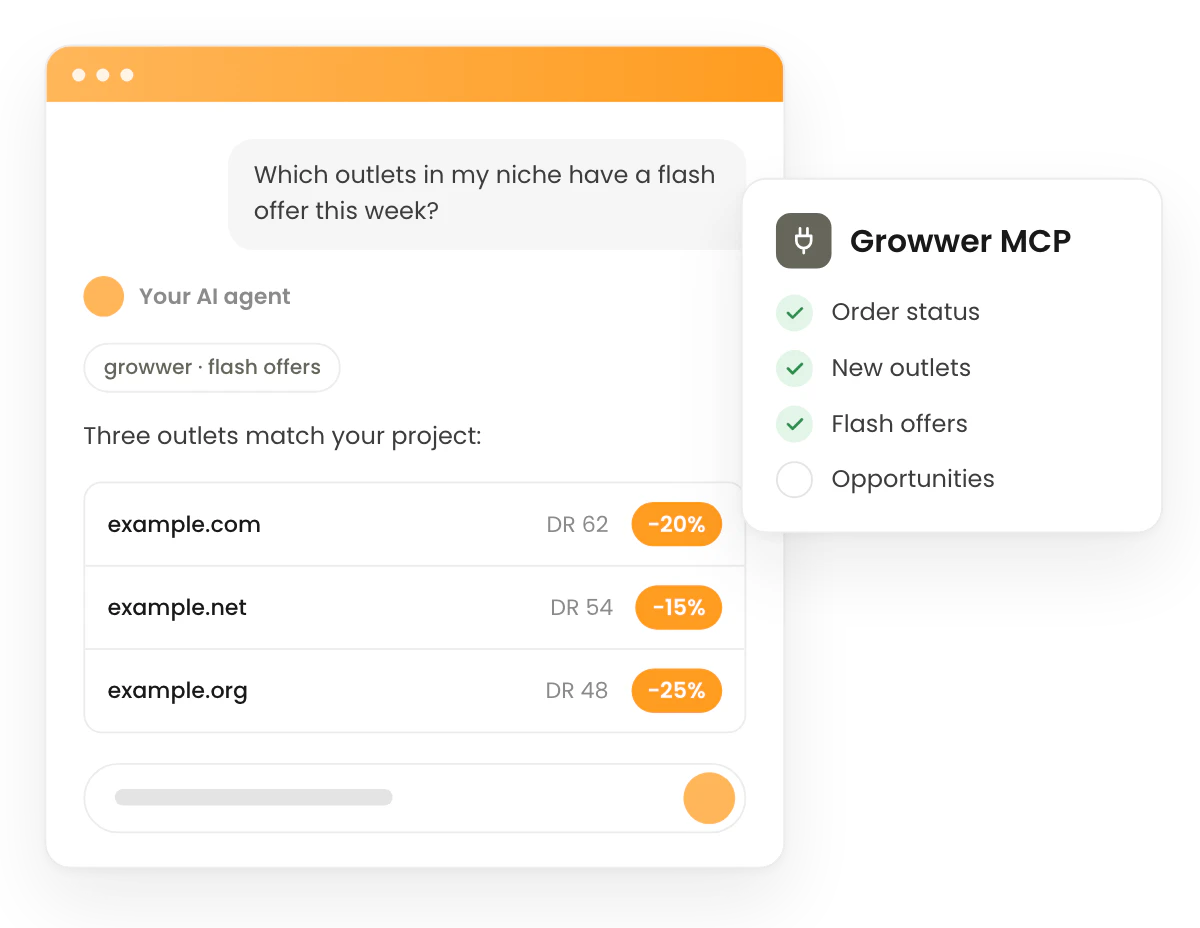
Your Growwer account, in the chat
- Works with the assistant you already use
- Claude, ChatGPT, Claude Code, Cursor, Codex, VS Code and Gemini CLI connect with nothing but the server URL, and you sign in on Growwer.
- Your whole account, not a summary
- One tool for each of the 68 operations of the Growwer API (projects, the catalogue, orders, wallets, invoices, managed service campaigns and the media you sell), plus a guide to get started.
- Nothing bought by surprise
- Placing or cancelling an order, approving a delivery, which pays the seller, and a few other writes, such as deleting a project, ask you to confirm first, in a form showing what happens and, where money moves, the amount and your balance.
Connect your AI assistant in three steps
Every client connects with the server URL alone: it sends you to Growwer to sign in, and you approve the connection there.
-
Step 1
Add the server
Add the Growwer server URL to your client: as a custom connector in Claude or ChatGPT, with a command or a config file in the others.
-
Step 2
Sign in and choose the access
The client sends you to Growwer to sign in. You approve the connection there and choose its access: read only, or read and write, which can also create orders that spend your balance.
-
Step 3
Ask in plain language
The assistant calls Growwer's tools for you. Before it places an order or takes another guarded action, Growwer asks you to confirm.
What you can ask
Ask in your own words. A few examples of what buyers, agencies and sellers do with it:
Buyers
- “Find Spanish blogs about personal finance with a DR above 40 for my project, under 300 euros.”
- “Estimate a sponsored article on the best of them and place the order.”
- “Which of my orders have a draft waiting for my review?”
Agencies
- “Which media are new for each of my projects?”
- “Compare the proposals of my managed service campaign and accept the three with the most traffic.”
- “Summarise this month's wallet movements and invoices.”
Sellers
- “Which orders on my media are waiting for me to accept them?”
- “Deliver order 1234 with the URL of the published article.”
- “Put me on holiday until 15 August.”
Link-building flows, ready to run
The server offers each of these flows as a prompt, which your assistant follows step by step.
Find media for a project
Search the catalogue for media that fit one of your projects and compare the best candidates.
find_media_for_project
Buy an article safely
Estimate an order, then place it with its confirmed price, without charging anything by surprise.
safe_purchase
Track orders and review deliveries
See where your orders stand and act on the drafts and deliveries that wait for you.
track_orders
Fulfil seller orders
Work through the orders placed on your media: accept them, deliver them and answer update requests.
seller_fulfilment
Developer reference
What a client needs to connect: the server, how it signs in, each client's setup, the tools and prompts, and the limits.
Connection
| Server URL | https://tool.growwer.com/mcp |
| Transport | Streamable HTTP. Answers are JSON, except a write waiting for your confirmation, which answers over SSE. |
| Authentication | OAuth 2.1: the client sends you to Growwer to sign in. |
| Access | Read, or read and write, chosen when you approve the connection. |
| Catalogue | 69 tools and 6 prompts |
Authentication
The server signs clients in with OAuth 2.1. A call without a token gets 401 and
points the client to https://tool.growwer.com/.well-known/oauth-protected-resource/mcp, the protected resource metadata
(RFC 9728), which names Growwer's authorization server (RFC 8414). A client registers
with a client ID metadata document, the preferred way, or by dynamic client
registration, signs in with PKCE S256 and names the server URL as the resource (RFC
8707); the answer carries
iss (RFC 9207).
You approve each connection on Growwer after a full sign-in: a remembered session is asked to sign in again. The consent page names the client, the host that served its metadata document (or "unverified" for a client registered on the fly) and the host it returns to.
| Access | What the client can do |
|---|---|
| Read | Use every read tool: your account, projects, the catalogue, orders, wallets, invoices and the media you sell. |
| Read and write | Also use the write tools, which can create orders that spend your balance. The writes marked Confirm ask you first. |
A read connection that calls a write tool gets 403 insufficient_scope, and
nothing runs. A client that supports it then asks you to approve write access.
Growwer emails you each time a client connects. A connection does not expire: it lasts until you revoke it on the MCP page of your account, which lists your connections, and its next call then gets 401.
A client that cannot sign in with OAuth can send an API key in the Authorization header instead. Create one on the of your account; the shows each client's setup either way.
Setup per client
Every client connects with the server URL alone and sends you to Growwer to sign in the first time it uses the server, or after the sign-in command shown below. Pick yours for its exact setup, the same the MCP page of your account shows.
- In Claude, open Customize, then Connectors, and choose + Add, then Add custom connector.
- Name it Growwer, paste the server URL below and choose Continue.
- Choose Sign in now: Claude sends you to Growwer, where you approve the connection. Then choose Add.
- On a Team or Enterprise plan, an owner of the organisation adds it first in Organization settings, Connectors.
Server URL
https://tool.growwer.com/mcp
- In ChatGPT, open chatgpt.com/plugins, choose the plus button, then Add custom MCP server.
- Name it Growwer and paste the server URL below.
- Choose OAuth as the authentication, select I understand and want to continue, then Create as a plugin: ChatGPT sends you to Growwer, where you approve the connection.
- Your plan and your workspace’s policies decide whether you can add a custom server.
Server URL
https://tool.growwer.com/mcp
Run this in a terminal:
claude mcp add --transport http growwer https://tool.growwer.com/mcp
Then sign in to Growwer from the client with:
/mcp
Add this to ~/.cursor/mcp.json:
{
    "mcpServers": {
        "growwer": {
            "url": "https://tool.growwer.com/mcp"
        }
    }
}
The client sends you to Growwer to sign in the first time it uses the server.
MCP setup in the Cursor documentationAdd this to ~/.codex/config.toml:
[mcp_servers.growwer]
url = "https://tool.growwer.com/mcp"
Then sign in to Growwer from the client with:
codex mcp login growwer
Add this to .vscode/mcp.json:
{
    "servers": {
        "growwer": {
            "type": "http",
            "url": "https://tool.growwer.com/mcp"
        }
    }
}
The client sends you to Growwer to sign in the first time it uses the server.
MCP setup in the VS Code documentationAdd this to ~/.gemini/settings.json:
{
    "mcpServers": {
        "growwer": {
            "httpUrl": "https://tool.growwer.com/mcp"
        }
    }
}
Then sign in to Growwer from the client with:
/mcp auth growwer
| Client | Where it goes | Sign in |
|---|---|---|
| Claude | A custom connector | While you add it |
| ChatGPT | A custom connector | While you add it |
| Claude Code | A terminal command | /mcp |
| Cursor | ~/.cursor/mcp.json | On first use |
| Codex | ~/.codex/config.toml | codex mcp login growwer |
| VS Code | .vscode/mcp.json | On first use |
| Gemini CLI | ~/.gemini/settings.json | /mcp auth growwer |
Tools
69 tools: one for each operation of the Growwer API, named growwer_ plus the operation, and growwer_get_guide,
which explains the buyer and seller profiles, the order states, the error codes and
where the vocabulary ids come from. Results are shaped like the API's resources, with
its paging, and errors carry the API's codes, such as
catalogue_daily_cap_reached or price_changed.
Orders spend real wallet funds. Placing or cancelling an order, approving a delivery, which pays the seller, rejecting an order you sell, deleting a project or a seller media and deciding on proposals each ask you to confirm first in a form showing what happens and, where money moves, the amount and your balance. Nothing happens unless you accept. If your client cannot show that form, nothing happens and you get a link to finish on growwer.com. Other writes, such as deleting a saved filter, run without a form. Top-ups and withdrawals stay on growwer.com.
General
Guide
| Tool | What it does | Access |
|---|---|---|
growwer_ | Get the Growwer guide | Read |
Account
| Tool | What it does | Access |
|---|---|---|
growwer_ | Get your account | Read |
growwer_ | Get the codes and names | Read |
Files
| Tool | What it does | Access |
|---|---|---|
growwer_ | Upload a file | Read and write |
Buyer
Projects
| Tool | What it does | Access |
|---|---|---|
growwer_ | List your projects | Read |
growwer_ | Create a project | Read and write |
growwer_ | Get a project | Read |
growwer_ | Edit a project | Read and write |
growwer_ | Delete a project | Read and write Confirm |
Catalogue
| Tool | What it does | Access |
|---|---|---|
growwer_ | List flash offers | Read |
growwer_ | Get a catalogue media | Read |
growwer_ | Discard a media for a project | Read and write |
growwer_ | Restore a discarded media | Read and write |
growwer_ | Add a media to a project's favourites | Read and write |
growwer_ | Remove a media from a project's favourites | Read and write |
growwer_ | Request specific domains for a project | Read and write |
growwer_ | Search the catalogue for a project | Read |
Saved filters
| Tool | What it does | Access |
|---|---|---|
growwer_ | List the saved filters of a project | Read |
growwer_ | Save a catalogue filter | Read and write |
growwer_ | Delete a saved filter | Read and write |
growwer_ | Count the medias of a saved filter | Read |
Buyer orders
| Tool | What it does | Access |
|---|---|---|
growwer_ | List your orders | Read |
growwer_ | Place an order | Read and write Confirm |
growwer_ | Estimate an order | Read |
growwer_ | Get an order | Read |
growwer_ | Approve an order's delivery | Read and write Confirm |
growwer_ | Approve an order's draft | Read and write |
growwer_ | Download the draft attached to an order | Read |
growwer_ | Cancel an order | Read and write Confirm |
growwer_ | Download the draft of an order | Read |
growwer_ | Request changes to a draft | Read and write |
growwer_ | Request changes to a delivery | Read and write |
Buyer wallet
| Tool | What it does | Access |
|---|---|---|
growwer_ | List your invoices | Read |
growwer_ | Download an invoice | Read |
growwer_ | Get your buyer wallet | Read |
growwer_ | List your buyer wallet movements | Read |
growwer_ | Download a buyer wallet document | Read |
Managed services
| Tool | What it does | Access |
|---|---|---|
growwer_ | Request a managed service campaign | Read and write |
growwer_ | List your managed service campaigns | Read |
growwer_ | Get a managed service campaign | Read |
growwer_ | List the proposals of a campaign | Read |
growwer_ | Download a campaign's proposals summary | Read |
growwer_ | Estimate accepting proposals | Read |
growwer_ | Accept or reject proposals | Read and write Confirm |
growwer_ | Ask about the managed service | Read and write |
Seller
Seller account
| Tool | What it does | Access |
|---|---|---|
growwer_ | Set your seller holiday | Read and write |
Seller medias
| Tool | What it does | Access |
|---|---|---|
growwer_ | List the medias you sell on | Read |
growwer_ | Register a media to sell on | Read and write |
growwer_ | Get a media you sell on | Read |
growwer_ | Edit the offer of a media | Read and write |
growwer_ | Delete a media you sell on | Read and write Confirm |
growwer_ | Apply the suggested competitive fees | Read and write |
Seller orders
| Tool | What it does | Access |
|---|---|---|
growwer_ | List the orders you sell | Read |
growwer_ | Get an order you sell | Read |
growwer_ | Accept an order | Read and write |
growwer_ | Download the draft a buyer attached | Read |
growwer_ | Deliver an order | Read and write |
growwer_ | Deliver a draft | Read and write |
growwer_ | Deliver a draft update | Read and write |
growwer_ | Deliver an update | Read and write |
growwer_ | Download the draft of an order you sell | Read |
growwer_ | Refuse a draft update | Read and write |
growwer_ | Refuse an update | Read and write |
growwer_ | Reject an order | Read and write Confirm |
Seller wallet
| Tool | What it does | Access |
|---|---|---|
growwer_ | Get your seller wallet | Read |
growwer_ | List your seller wallet movements | Read |
growwer_ | Download a seller wallet document | Read |
growwer_ | List your withdrawals | Read |
growwer_ | Download a withdrawal invoice | Read |
Prompts
6 prompts walk your assistant through the common flows, step by step.
| Prompt | What it does |
|---|---|
find_ | Find media for a project. Search the catalogue for media that fit one of your projects and compare the best candidates. |
review_ | Review managed service proposals. Compare the media Growwer proposed for a campaign, see the cost and decide on each one. |
safe_ | Buy an article safely. Estimate an order, then place it with its confirmed price, without charging anything by surprise. |
seller_ | Fulfil seller orders. Work through the orders placed on your media: accept them, deliver them and answer update requests. |
track_ | Track orders and review deliveries. See where your orders stand and act on the drafts and deliveries that wait for you. |
wallet_ | Wallet and spend report. Summarise your wallet balances, recent movements, invoices and, if you sell, your earnings. |
Limits
The MCP shares your API limits, so REST and MCP calls count together.
- Each tool call spends one request of the per-minute budget: 600 a minute per user and 300 per connection or API key. Past it, the tool answers
rate_limit_exceeded. - Connecting, listing the tools and reading the guide are not limited.
- The catalogue counts the distinct media it returns per user and UTC day: up to 5,000, or 100 while your account has no delivered order in the last 180 days. Past it, the tool answers
catalogue_daily_cap_reached. - Every write takes a
requestIdof 8 to 128 characters, such as a UUID. Repeated with the same arguments after the write succeeds, it returns that result for 30 days, so a retried call never places an order twice; with other arguments, the tool answersidempotency_key_reused. -
growwer_upload_filetakes files of up to 3,000,000 bytes; larger ones go through the API.
Support
Questions about the MCP or a connection: write to [email protected]. The explains how Growwer handles your data.
Questions about the Growwer MCP
- MCP (Model Context Protocol) is the standard AI assistants use to connect to other tools. The Growwer MCP server connects yours to your Growwer account, so it can search the catalogue for your projects, place and follow orders, or manage the media you sell.
- Clients that connect to remote MCP servers and sign in with OAuth. This page has the setup for Claude, ChatGPT, Claude Code, Cursor, Codex, VS Code and Gemini CLI. In ChatGPT, your plan and your workspace’s policies decide whether you can add a custom server.
- Placing an order spends your wallet balance, so it needs read and write access and asks you to confirm first, in a form with the price and your balance. Nothing happens unless you accept. A read-only connection cannot place orders, and top-ups and withdrawals stay on growwer.com.
- Then nothing happens, and the assistant gets a link to finish the action on growwer.com.
- Yes. Sellers can register media and edit their fees, accept, deliver or reject orders, answer update requests and read their wallet and earnings.
- Revoke it on the MCP page of your Growwer account, which lists every connection. The client loses access at once. Growwer also emails you each time a client connects.
- The catalogue counts the distinct media it shows you each day, together with your API calls: up to 5,000 a day, or 100 a day while your account has no delivered order in the last 180 days.
Connect your assistant to Growwer
Create your account, then add the server URL to your client.